

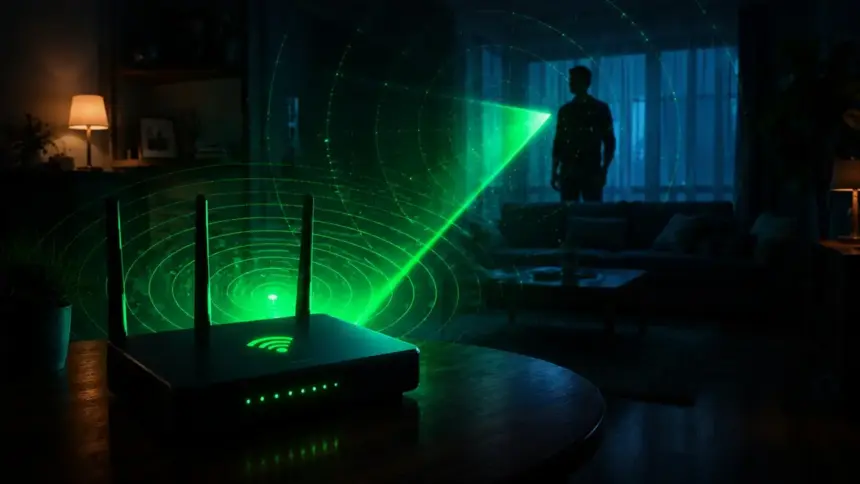
When we think about digital privacy, we usually worry about hackers stealing our passwords, apps tracking our location, or smart speakers listening to our conversations. But what if the biggest threat to your privacy is sitting quietly in the corner of your living room? Recent tech research has uncovered alarming new Wi-Fi privacy risks that could allow anyone to “see” you inside your home without using a single camera.
If you thought your home network was safe just because it has a strong password, think again. Scientists have recently demonstrated how standard Wi-Fi signals can be used to track human movement, breathing patterns, and exact locations inside a closed room. Let’s dive deep into how this technology works and why it is raising massive privacy alarms.
How Wi-Fi Signals Can “See” Through Walls
To understand these new Wi-Fi privacy risks, you need to understand how modern routers work. Your Wi-Fi router constantly sends out radio waves to connect with your phone, laptop, and smart TV. When these waves hit objects or people in the room, they bounce back differently.
Researchers have discovered that by analyzing these bounced signals (specifically something called ‘Beamforming Feedback Information’ or BFId), they can create a highly accurate “radar map” of the room. This means the Wi-Fi signal can detect when you walk, sit down, or even when your chest moves as you breathe, all without you wearing any smart device.
If you are concerned about securing your home network, you should also read our guide on the best security practices for your digital devices.
The Danger of Invisible Tracking
While this technology was initially developed for good reasons—like monitoring elderly patients who might fall in their homes or optimizing smart home automation—the Wi-Fi privacy risks are terrifying if the technology falls into the wrong hands.
Unlike a compromised webcam that you can physically cover with tape, you cannot “hide” from a Wi-Fi signal. If a hacker manages to access your router’s diagnostic data, they could theoretically map out your daily routine, know exactly which room you are in, and determine when your house is empty. This invisible tracking completely bypasses traditional antivirus software.
For more detailed technical insights on cybersecurity, you can explore resources on the Kaspersky Cybersecurity Resource Center.
How to Protect Yourself from Wi-Fi Tracking
Because this technology is still mostly in the research phase, the immediate danger to the average person is low. However, minimizing Wi-Fi privacy risks should be a priority for everyone. Here are a few steps you can take today:
- Update Your Router Firmware: Always keep your router updated. Manufacturers often release patches to block unauthorized access to diagnostic data.
- Use Strong Encryption: Ensure your router is using WPA3 encryption instead of the older, easily hackable WPA2 standard.
- Disable Remote Management: Go into your router settings and turn off ‘Remote Access’ so no one can log into your network from the outside internet.
The Bottom Line
The boundaries of digital privacy are constantly being pushed. The fact that invisible radio waves bouncing off our bodies can be used as a tracking tool proves that Wi-Fi privacy risks are evolving faster than our security laws. As smart homes become more advanced, keeping your network secure is no longer just about protecting your passwords—it is about protecting your physical privacy inside your own home.
FAQs
Can someone spy on me through my Wi-Fi router?
Yes, theoretically. Researchers have proven that analyzing Wi-Fi signals can detect human movement and breathing patterns through walls, presenting significant new Wi-Fi privacy risks if a hacker gains access to your router data.
Do I need to wear a smartwatch to be tracked by Wi-Fi?
No. The most alarming part of this technology is that it tracks the physical reflection of radio waves bouncing off your body. You do not need to be carrying a phone or wearing a smart device to be detected.
How can I secure my home Wi-Fi network?
To secure your network, always use a strong, unique password, enable WPA3 encryption in your router settings, disable remote management features, and regularly update your router’s firmware.