
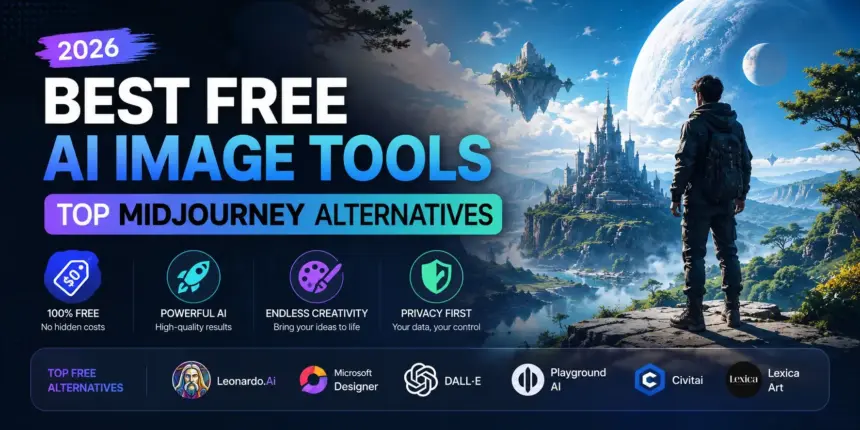
Midjourney is one of the most powerful AI image generators available — but it is not free. If you want to create stunning AI-generated images without spending a single rupee, you are in luck. In 2026, there are several free AI image tools that rival Midjourney in quality.
In this guide, we cover the best free AI image generators in 2026 — including their features, image quality, usage limits, and what each tool is best suited for.
Why Look for Midjourney Alternatives?
Midjourney produces some of the best AI art available — but it requires a paid subscription starting at $10/month, and there is no free plan anymore. For students, bloggers, content creators, and small businesses, this cost adds up quickly.
The good news is that several powerful free alternatives have emerged in 2026 that produce images good enough for social media, blogs, presentations, and creative projects.
Best Free AI Image Tools in 2026
1. Adobe Firefly — Best free AI image tools 2026
Free Plan: 25 generative credits/month
Adobe Firefly is the best free AI image generator available in 2026. Powered by Adobe’s own AI model, it produces photorealistic and artistic images with exceptional quality. The biggest advantage of Firefly is that it is trained exclusively on licensed images — meaning the output is safe to use commercially without copyright concerns.
Key Features:
- Text-to-image generation with stunning quality
- Generative Fill — add or remove elements from existing images
- Text Effects — apply AI-generated styles to text
- Style matching — replicate the look of reference images
- Directly integrated into Adobe Express (free web app)
Best for: Bloggers, content creators, and anyone who needs commercially safe AI images.
Limitation: Only 25 free credits per month — additional credits require an Adobe subscription.
2. Microsoft Designer / Bing Image Creator — Best Unlimited Free Tool
Free Plan: Generous daily limits — practically unlimited for casual use
Bing Image Creator, powered by DALL-E 3, is the most accessible free AI image tool in 2026. It is built directly into Microsoft Bing and Edge browser — no account needed beyond a Microsoft login. The image quality is excellent and the daily usage limits are generous enough for most users.
Key Features:
- Powered by OpenAI’s DALL-E 3 — same engine as ChatGPT Plus
- No subscription required — free with a Microsoft account
- Directly accessible from Bing search and Microsoft Edge
- Microsoft Designer offers additional editing and design features
- Boosts system for faster generation (uses Bing reward points)
Best for: Anyone who wants high-quality AI images quickly and completely free with no credit limits.
Limitation: After daily boost credits run out, generation becomes slower.
3. Canva AI — Magic Media (Free + Paid)
Free Plan: 50 lifetime image generations on free plan
Canva’s Magic Media feature brings AI image generation directly into the Canva design workflow. If you already use Canva for social media graphics, presentations, or thumbnails, Magic Media lets you generate AI images without leaving the platform. The quality is solid for social media use.
Key Features:
- Text-to-image generation inside Canva
- Multiple art styles — photo, anime, watercolour, neon, etc.
- Generated images can be immediately used in Canva designs
- No separate account or tool needed
- Text-to-video also available (limited)
Best for: Social media managers and designers who work inside Canva.
Limitation: Only 50 free lifetime generations — Canva Pro ($13/month) unlocks 500/month.
4. Stable Diffusion (DreamStudio / Clipdrop) — Best for Advanced Users
Free Plan: 25 free credits on DreamStudio at signup
Stable Diffusion is the most powerful open-source AI image model available. While running it locally requires a decent GPU, web-based tools like DreamStudio and Clipdrop make it accessible to everyone for free. The level of control and customisation is unmatched — you can fine-tune every aspect of the generated image.
Key Features:
- Highly detailed, photorealistic image generation
- Full control over style, lighting, composition, and more
- Inpainting and outpainting — edit specific parts of images
- Open-source — can be run locally on your own PC for free
- Thousands of community-trained models available
Best for: Advanced users, developers, and artists who want maximum control over AI image generation.
Limitation: Steeper learning curve — not as beginner-friendly as other tools.
5. Google ImageFX — Best for Photorealistic Images
Free Plan: Free with a Google account
Google ImageFX, powered by Google’s Imagen 3 model, produces some of the most photorealistic AI images available in 2026. It is particularly impressive for generating human faces, nature scenes, and architectural images. Being a Google product, it is tightly integrated with safety filters to prevent misuse.
Key Features:
- Powered by Google Imagen 3 — state-of-the-art photorealism
- Expressive chips feature — quickly modify prompts with suggested variations
- Free with any Google account
- Part of Google Labs — regularly updated with new capabilities
Best for: Anyone who needs highly realistic AI photos for blogs, presentations, or creative projects.
Limitation: Strong safety filters mean some creative prompts may be restricted.
6. Leonardo AI — Best for Creative and Fantasy Art
Free Plan: 150 tokens/day (approximately 10-15 images/day)
Leonardo AI is the favourite tool of game designers, illustrators, and fantasy artists in 2026. It specialises in character art, concept design, game assets, and stylised illustrations. The free plan is generous — 150 daily tokens reset every 24 hours, giving you a consistent supply of free generations.
Key Features:
- Specialised models for game art, anime, fantasy, and concept design
- Image-to-image transformation
- Motion — animate your generated images
- Canvas editor for detailed image editing
- Community gallery for prompt inspiration
Best for: Game designers, illustrators, YouTubers, and anyone creating fantasy or stylised content.
Limitation: Free plan watermarks some outputs; premium models require paid plan.
Quick Comparison Table
| Tool | Free Limit | Image Quality | Best For | Commercial Use |
|---|---|---|---|---|
| Adobe Firefly | 25 credits/month | Excellent | Safe commercial images | Yes |
| Bing Image Creator | Generous daily limit | Very Good | Quick, free generation | Personal use |
| Canva AI | 50 lifetime | Good | Social media designs | Yes (Canva terms) |
| Stable Diffusion | 25 credits (signup) | Excellent | Advanced customisation | Yes (open source) |
| Google ImageFX | Free (Google account) | Excellent | Photorealistic images | Check Google ToS |
| Leonardo AI | 150 tokens/day | Very Good | Fantasy and game art | Limited on free plan |
Which Free AI Image Tool Should You Use?
- Best overall free tool: Adobe Firefly — highest quality, commercially safe
- Best for unlimited free use: Bing Image Creator — generous limits, DALL-E 3 quality
- Best for designers: Canva AI — works inside your existing Canva workflow
- Best for advanced users: Stable Diffusion — maximum control and customisation
- Best for photorealism: Google ImageFX — most realistic images
- Best for creative/fantasy art: Leonardo AI — 150 free images daily
FAQs — Free AI Image Tools
Is there a completely free alternative to Midjourney in 2026?
Yes — Bing Image Creator (powered by DALL-E 3) and Google ImageFX are both completely free and produce images comparable to Midjourney in quality. Leonardo AI also offers 150 free image generations per day.
Can I use AI-generated images commercially for free?
Adobe Firefly is the safest choice for commercial use — it is trained on licensed images and explicitly allows commercial use. Always check the terms of service for each tool before using images commercially.
Which free AI image tool is best for beginners?
Bing Image Creator is the easiest to use — just type a description and get results instantly, no account setup or learning curve required. Canva AI is also very beginner-friendly if you already use Canva.
Can I run Stable Diffusion for free on my PC?
Yes — Stable Diffusion is open-source and can be run locally on your own computer for completely free, unlimited image generation. However, you need a modern GPU (NVIDIA recommended) with at least 6GB VRAM for good performance.
Final Thoughts
You do not need to pay for Midjourney to create stunning AI-generated images in 2026. Adobe Firefly, Bing Image Creator, and Google ImageFX are all completely free and produce exceptional results for blogs, social media, presentations, and creative projects.
Start with Bing Image Creator for quick, unlimited free generations, and add Adobe Firefly to your workflow when you need commercially safe, high-quality images.
Which free AI image tool do you use? Share your experience in the comments below!
Also read: Best AI Tools for Content Writers in 2026 | ChatGPT vs Gemini vs Claude — Which AI is Best in 2026? | More AI Tool Reviews on TechVerma