
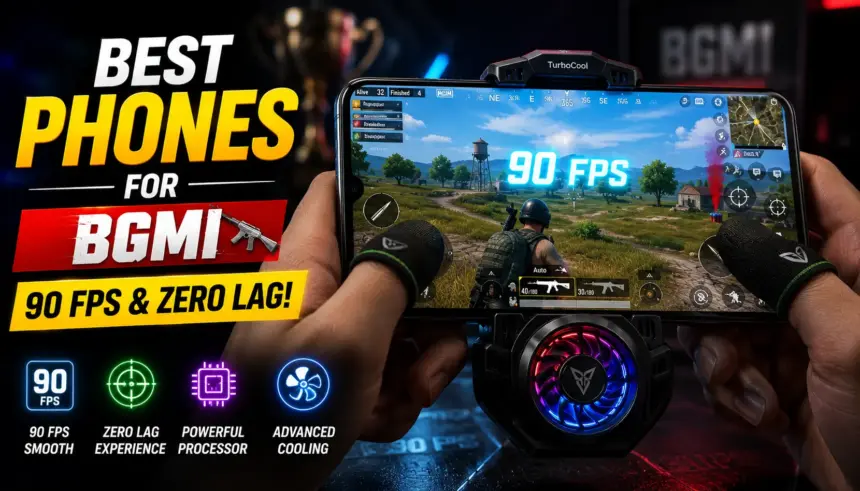
If you play Battlegrounds Mobile India (BGMI) competitively, you already know that hardware dictates your success just as much as your skill. A stutter during a close-range 1v4 clutch, a delayed touch response when scoping in, or your phone overheating and dimming the screen mid-match can instantly send you back to the lobby.
In 2026, playing on “Smooth + Extreme” (60 FPS) is no longer enough to dominate Conqueror lobbies. You need a device capable of sustaining 90 FPS (Smooth + Extreme+), equipped with massive Vapor Chamber (VC) cooling, and featuring a high touch-sampling rate for instantaneous crosshair movement.
We have tested devices across all price segments—from budget beasts to ultra-premium flagships—to bring you the ultimate ranking of the top 10 best phones for BGMI in India.
Quick Answer
The absolute best phone for BGMI regardless of price is the iQOO 12, featuring the Snapdragon 8 Gen 3 and a dedicated gaming chip for flawless 144Hz performance. If you are on a mid-range budget (under ₹40,000), the OnePlus 12R offers incredible sustained 90fps performance with OxygenOS stability. For strict budget gamers under ₹20,000, the iQOO Z9 5G (Dimensity 7200) is the undisputed champion for 90 FPS gaming.
Comparison Table
| Product | Processor | Max BGMI Settings | Touch Sampling Rate | Cooling System | Price Segment |
|---|---|---|---|---|---|
| iQOO 12 | Snapdragon 8 Gen 3 | 90 FPS (Smooth) | 1200Hz (Instant) | 6K VC Liquid | Premium (₹50K+) |
| OnePlus 12R | Snapdragon 8 Gen 2 | 90 FPS (Smooth) | 1000Hz (Instant) | Dual Cryo-Velocity | Mid-Range (₹40K) |
| Realme GT 7 Pro | Snapdragon 8 Gen 3 | 90 FPS (Smooth) | 1000Hz (Instant) | Iceberg VC | Premium (₹50K+) |
| POCO X6 Pro | Dimensity 8300 Ultra | 90 FPS (Smooth) | 2160Hz (Instant) | 5000mm² Stainless VC | Mid-Range (₹25K) |
| iPhone 16 Pro Max | A18 Pro Bionic | 90 FPS (Smooth) | 120Hz (Native) | Graphene Thermal | Ultra-Premium |
| iQOO Neo 11 | Snapdragon 8 Gen 2 | 90 FPS (Smooth) | 1200Hz (Instant) | 6K VC Liquid | Mid-Range (₹35K) |
| Samsung S24 Ultra | Snapdragon 8 Gen 3 | 90 FPS (Smooth) | 240Hz (Native) | 1.9x Larger VC | Ultra-Premium |
| iQOO Z9 5G | Dimensity 7200 | 90 FPS (Smooth) | 1200Hz (Instant) | 3000mm² VC | Budget (₹20K) |
| Infinix GT 20 Pro | Dimensity 8200 | 90 FPS (Smooth) | 1500Hz (Instant) | Dedicated Game Chip | Budget (₹22K) |
| Motorola Edge 50 Pro | Snapdragon 7 Gen 3 | 60 FPS (Ultra) | 360Hz | Standard VC | Mid-Range (₹30K) |
Main Content
1. iQOO 12
Overview: iQOO is the official smartphone partner for major BGMI esports tournaments, and the iQOO 12 is their crown jewel. Powered by the Snapdragon 8 Gen 3, it doesn’t just hit 90 FPS; it locks onto 90 FPS and refuses to drop a single frame even during intense final zone smoke grenade fights.
* Pros: Unrivaled Snapdragon 8 Gen 3 performance; dedicated Q1 display chip for frame interpolation; massive 6K VC cooling system prevents all throttling.
* Cons: Funtouch OS requires manual debloating before you start gaming.
* Verdict: The ultimate machine for aspiring esports athletes who want zero compromises.
2. OnePlus 12R
Overview: The OnePlus 12R is the smartest purchase for 90% of BGMI players. It uses the highly optimized Snapdragon 8 Gen 2, which is widely considered one of the most stable and heat-efficient chips ever made. Paired with OnePlus’s Dual Cryo-Velocity cooling, you can play for 4 hours straight without the phone getting uncomfortably hot.
* Pros: Incredible thermal management; extremely stable 90 FPS; OxygenOS provides a distraction-free gaming mode.
* Cons: The curved screen can sometimes cause accidental palm touches if you don’t use a case.
* Verdict: The best balance of premium gaming performance, thermal stability, and price.
3. POCO X6 Pro
Overview: If you want flagship-level BGMI performance but only have ₹25,000 to spend, the POCO X6 Pro is a miracle. It is powered by the MediaTek Dimensity 8300 Ultra and UFS 4.0 storage. Game load times are practically non-existent, and it handles 90 FPS effortlessly.
* Pros: UFS 4.0 storage means you load into the lobby faster than anyone else; blazing Dimensity 8300 Ultra; insanely fast 2160Hz touch sampling rate.
* Cons: HyperOS bloatware is annoying; battery drains slightly fast on 90 FPS.
* Verdict: The absolute best mid-range gaming phone for raw power and speed.
4. iPhone 16 Pro Max
Overview: Walk into any major BGMI LAN tournament, and you will see the professionals playing on iPhones. The A18 Pro Bionic chip is leagues ahead of Android in terms of raw computing power. The iOS optimization for BGMI is flawless, resulting in the most consistent gyroscope and touch response in the industry.
* Pros: Unmatched gyroscope accuracy; flawless iOS optimization; never drops frames.
* Cons: Absurdly expensive; the phone dims its screen significantly if it gets too hot (requires a cooling fan).
* Verdict: The choice of professional Tier-1 esports players who demand the most reliable gyroscope on the market.
5. Realme GT 7 Pro
Overview: Realme’s GT 7 Pro is a direct competitor to the iQOO 12, packing the same Snapdragon 8 Gen 3 processor. However, it pairs it with a massive 5400mAh battery, allowing for significantly longer gaming sessions without needing to plug into a wall charger.
* Pros: Elite Snapdragon 8 Gen 3 performance; massive battery life for marathon sessions; bright 1.5K display.
* Cons: Realme UI has pre-installed third-party apps.
* Verdict: Best for gamers who play for 5+ hours a day and hate being tethered to a charging cable.
6. iQOO Neo 11
Overview: Sitting right between the iQOO Z9 and the flagship iQOO 12, the Neo 11 offers the Snapdragon 8 Gen 2 for under ₹35,000. It provides the exact same 90 FPS performance as the OnePlus 12R but utilizes a flat display, which many 4-finger claw players prefer to prevent accidental touches.
* Pros: Flat display is perfect for claw players; Snapdragon 8 Gen 2 stability; 120W fast charging.
* Cons: Plastic frame feels slightly cheap for the price.
* Verdict: The best alternative to the OnePlus 12R for gamers who specifically want a flat screen.
7. Samsung Galaxy S24 Ultra
Overview: While not marketed purely as a gaming phone, the S24 Ultra is a powerhouse. It features a custom “Snapdragon 8 Gen 3 for Galaxy” chip and a vapor chamber that is 1.9x larger than the previous generation. The massive, completely flat 6.8-inch display provides the best visual clarity for spotting enemies at a distance.
* Pros: Massive, stunning flat display; excellent thermal cooling; premium build quality.
* Cons: Very heavy and boxy, making it slightly uncomfortable for long 4-finger claw sessions; extremely expensive.
* Verdict: Best for wealthy gamers who want a premium lifestyle flagship that can also flawlessly run BGMI at 90 FPS.
8. iQOO Z9 5G
Overview: If you only have ₹20,000, this is the only phone you should look at. The iQOO Z9 features the Dimensity 7200 processor, making it the cheapest phone on the market that can reliably sustain 90 FPS in BGMI without melting your hands.
* Pros: Cheapest entry to stable 90 FPS; excellent Dimensity 7200 processor; bright AMOLED display.
* Cons: Single bottom-firing speaker makes it hard to hear enemy footsteps without headphones.
* Verdict: The undisputed king of budget BGMI gaming.
9. Infinix GT 20 Pro
Overview: The Infinix GT 20 Pro screams “Gamer.” It features Mecha-style RGB lights on the back and is powered by the Dimensity 8200. It also includes a dedicated Pixelworks gaming chip designed specifically to interpolate frames and keep the game running smoothly.
* Pros: Dedicated gaming chip; aggressive gamer aesthetic; 90 FPS support; 144Hz display.
* Cons: Camera is terrible; XOS software is confusing.
* Verdict: For budget gamers who want their phone to look like a dedicated gaming console.
10. Motorola Edge 50 Pro
Overview: The Motorola Edge 50 Pro is the wildcard on this list. It uses the Snapdragon 7 Gen 3, meaning it caps out at 60 FPS (Smooth + Extreme) rather than 90 FPS. However, it is included because its completely clean, bloat-free Hello UI ensures that 60 FPS is sustained perfectly without a single stutter.
* Pros: Zero bloatware ensures maximum RAM is available for BGMI; gorgeous design; very fast 125W charging.
* Cons: Cannot reach 90 FPS; curved screen isn’t ideal for gaming.
* Verdict: Best for casual BGMI players who prioritize a clean, ad-free smartphone experience over maximum frame rates.
Buying Guide
If you are buying a phone specifically for BGMI, ignore the camera megapixels and focus entirely on these four metrics:
* Processor (SoC): This is non-negotiable. To get 90 FPS, you need at least a Snapdragon 8 Gen 2, Snapdragon 7+ Gen 2, or MediaTek Dimensity 8200/8300. Budget chips (like Snapdragon 695) will lock you at 40 FPS.
* Cooling System (Vapor Chamber): BGMI at 90 FPS generates immense heat. If a phone does not have a Vapor Chamber (VC) cooling system, the processor will “thermal throttle” within 15 minutes, dropping your frames from 90 to 45. Always check the VC size (measured in mm²).
* Flat vs. Curved Displays: If you play with a 3-finger or 4-finger claw setup, always buy a flat display (like the iQOO 12 or POCO X6). Curved displays look great, but the palms of your hands will constantly touch the edges of the screen, accidentally firing your weapon or messing up your aim.
* Touch Sampling Rate: This is different from the Refresh Rate (120Hz). Touch Sampling Rate (e.g., 1000Hz or 2160Hz instant) dictates how fast the screen registers your finger. A higher number means your crosshair moves the millisecond you touch the glass, giving you a competitive edge.
FAQs
1. Which is better for BGMI: iPhone or Android?
For professional esports, the iPhone is generally preferred due to its highly superior and stable gyroscope sensor and perfectly optimized iOS frame rendering. However, high-end Androids (like iQOO 12) offer faster charging, better cooling systems, and are much cheaper.
2. Does 90 FPS really make a difference over 60 FPS?
Yes, a massive difference. 90 FPS provides 50% more visual information every second than 60 FPS. This makes your aim tracking significantly smoother and allows you to react to enemies a fraction of a second faster.
3. Why does my screen automatically dim while playing BGMI?
This is a safety feature (especially common on iPhones and Samsung devices). When the phone detects that the battery or processor is overheating, it artificially dims the screen to reduce heat generation. The only way to fix this is to use an external cooling fan.
4. Should I play on “Smooth” or “HDR” graphics?
Always play on “Smooth” graphics and set the Frame Rate to the highest possible option (Extreme or 90 FPS). Playing on HDR looks pretty, but it adds unnecessary shadows that hide enemies and generates massive heat, causing lag.
5. Which budget phone gives 90 FPS in BGMI?
The iQOO Z9 5G and the POCO X6 Pro are the best budget options capable of unlocking and sustaining the 90 FPS option in the BGMI settings.
Final Verdict
If you want to push Conqueror this season, your hardware cannot hold you back. If you have an unlimited budget and want the exact device the professionals use, the iQOO 12 is the undisputed king of Android gaming. If you want flagship-level 90 FPS performance without spending ₹50,000, the OnePlus 12R and POCO X6 Pro are absolute masterclasses in value and power. And for strict budget gamers, the iQOO Z9 5G is the cheapest ticket to a flawless 90 FPS experience.
Read More:
- Best Gaming Phones Under ₹20,000 in India
- Best Phones Under ₹35,000 in India
- Best Smartphones Under ₹40,000
- Best Snapdragon Phones Under ₹25,000
Source Links: