
In 2023, AI tools were a novelty. In 2026, they are a necessity. of global knowledge workers now use generative AI, with adoption nearly doubling in just six months. The professionals who haven’t adopted AI tools yet aren’t just missing out on convenience — they’re falling behind competitors who are getting 10x more done in the same hours.
But here is the problem: there are now hundreds of AI productivity tools flooding the market. Most are mediocre. A handful are genuinely transformative.
We’ve tested the top tools extensively. This guide covers the 10 best AI productivity tools in 2026 — organized by what they actually help you do — with honest pricing, real use cases, and clear recommendations for different types of users.
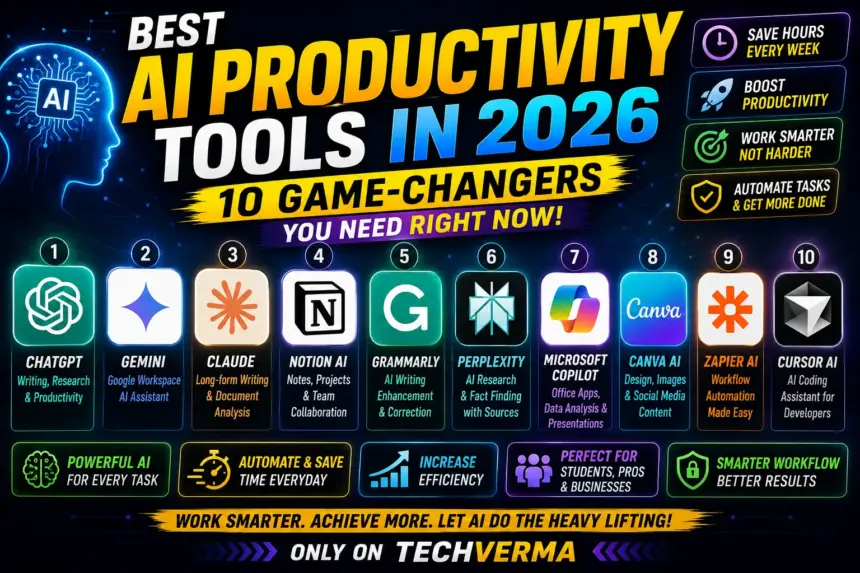
Quick Comparison — Best AI Productivity Tools 2026
| Tool | Best For | Free Plan | Paid Plan |
|---|---|---|---|
| ChatGPT | All-around AI assistant | Yes (limited) | $20/month |
| Claude | Long documents & analysis | Yes | $20/month |
| Perplexity | AI-powered research | Yes | $20/month |
| Notion AI | Notes & knowledge base | Yes | $10/month add-on |
| Fireflies.ai | Meeting transcription | Yes | $18/month |
| Grammarly | Writing & editing | Yes | $12/month |
| Canva AI | Design & visuals | Yes | $120/year |
| GitHub Copilot | Coding assistance | No | $10/month |
| Zapier AI | Workflow automation | Yes | $19.99/month |
| Reclaim.ai | Smart scheduling | Yes | $8/month |
1. ChatGPT — Best All-Around AI Productivity Tool
Pricing: Free (GPT-4o mini) | $20/month Plus (GPT-4o + o3)
ChatGPT remains the gold standard for AI productivity in 2026. GPT-4o provides exceptional reasoning, coding assistance, research capabilities, and creative problem-solving — making ChatGPT Plus the Swiss Army knife of AI productivity tools.
What you can do with ChatGPT in 2026:
- Draft emails, reports, and presentations in seconds
- Analyze uploaded PDFs, spreadsheets, and images
- Write and debug code in any language
- Generate DALL-E images for presentations
- Use custom GPTs built for specific workflows
Who should use it: Marketers, writers, developers, consultants, students — essentially everyone. If you’re only going to use one AI tool, make it this one.
Honest limitation: Free tier has usage limits that frustrate heavy users. Plus at $20/month is worth it for anyone using it daily.
Best for: General-purpose AI tasks, content creation, coding, research.
2. Claude — Best for Long Documents and Deep Analysis
Pricing: Free | $20/month Pro
Claude by Anthropic is the AI tool serious professionals reach for when the task requires careful, nuanced thinking. Claude handles complex reasoning, document analysis, and content creation through long-form analysis. With a massive 200K token context window, Claude can process entire books, codebases, or research papers in a single conversation.
Where Claude beats ChatGPT:
- Processing entire contracts, research papers, or books in one go
- Writing that requires careful, measured prose (legal, medical, financial)
- Complex analytical tasks with multiple variables
- Coding with Claude Code for autonomous development
Real-world use case: Upload a 200-page legal contract and ask Claude to summarize key obligations, flag potential risks, and list all deadlines. Takes 30 seconds. A lawyer would charge $500+ for the same analysis.
Who should use it: Lawyers, researchers, analysts, writers, anyone dealing with long documents daily.
Best for: Document analysis, professional writing, complex reasoning tasks.
3. Perplexity AI — Best for Research
Pricing: Free | $20/month Pro
Perplexity sits in a unique position: it’s neither a chatbot nor a search engine. It’s both — and better than either for research tasks.
Every Perplexity response includes numbered citations linking directly to source material. The Deep Research feature performs approximately 8 searches per query, consults an average of 42 sources, and produces reports of approximately 1,300 words in under three minutes.
Why researchers love it:
- Every answer is cited — no hallucinations without sources
- Deep Research mode replaces hours of manual searching
- Always uses current web data (no knowledge cutoff)
- Handles complex multi-part research questions
Real-world use case: Ask “What are the top 5 venture-backed AI startups in healthcare in 2026 and their funding rounds?” — Perplexity returns a sourced, detailed answer in 90 seconds. Google would require 2 hours of tab-hopping.
Who should use it: Journalists, researchers, consultants, students, anyone who spends time fact-checking or doing competitive analysis.
Best for: Research, fact-checking, competitive intelligence, current events.
4. Notion AI — Best for Notes and Knowledge Management
Pricing: Free (Notion) | $10/month AI add-on
Notion was already the best note-taking and project management tool before AI. The AI add-on makes it genuinely transformative for teams.
What Notion AI does:
- Summarizes long pages and documents automatically
- Drafts content directly inside your notes
- Answers questions about your entire knowledge base
- Translates pages into 10+ languages
- Auto-fills databases with AI-generated content
Real-world use case: Your team has 3 years of meeting notes in Notion. Ask Notion AI “What decisions did we make about the product roadmap in Q1 2025?” — it searches everything and answers in seconds.
Who should use it: Teams, project managers, content creators, anyone who uses Notion already. The AI add-on is the single best $10/month upgrade in productivity software right now.
Best for: Teams, knowledge management, project documentation.
5. Fireflies.ai — Best for Meeting Productivity
Pricing: Free (limited) | $18/month Business
If you spend more than 5 hours per week in meetings, Fireflies.ai pays for itself in the first day.
<cite index=”12-1″>Fireflies.ai records, transcribes, and summarizes meetings so you can focus on the conversation instead of taking notes. The platform joins your Zoom, Google Meet, or Microsoft Teams calls automatically, then generates searchable transcripts with AI-powered summaries highlighting action items and key decisions.</cite>
Why it beats manual note-taking:
- Automatic recording and transcription — no setup needed
- AI summary with action items sent after every meeting
- Searchable database of all past meetings
- Integration with Slack, HubSpot, Salesforce, Notion
- Identify who talked how much and about what
Real-world use case: You missed a client call. Instead of asking colleagues for notes, search the Fireflies library, read the 2-minute AI summary, and know everything discussed in 5 minutes.
Who should use it: Sales teams, remote workers, managers, consultants, anyone who attends 5+ meetings per week.
Best for: Meeting transcription, action items, team alignment.
6. Grammarly (now Superhuman) — Best for Writing Quality
Pricing: Free | $12/month Pro
Grammarly the company has rebranded to Superhuman, but Grammarly the product still exists. The Pro plan starts at $12/month and includes unlimited personalized suggestions, plagiarism and AI content detection, and 2,000 AI prompts monthly.
In 2026, Grammarly is no longer just a spell-checker. GrammarlyGO can:
- Rewrite entire paragraphs for clarity and tone
- Adjust formality level for different audiences
- Generate email replies from bullet points
- Detect AI-generated content in your workflow
- Integrate with Gmail, Word, Slack, and 500+ apps
Best for: Writers, marketers, non-native English speakers, anyone who sends 20+ emails daily.
7. Canva AI — Best for Visual Content Creation
Pricing: Free | $120/year Pro
Canva’s Magic Studio gives non-designers AI-powered design tools with no usage limits on the Pro plan.
- Magic Design — generate complete presentations from a prompt
- Magic Write — AI content generation inside designs
- Magic Edit — remove or replace objects in images
- Text to Image — generate visuals from descriptions
- Background Remover — one-click professional results
Real-world use case: Need a 20-slide investor presentation in 2 hours? Prompt Canva AI with your key points. It generates structure, design, and placeholder content. You refine. Done.
Best for: Marketers, content creators, small business owners, social media managers.
8. GitHub Copilot — Best for Developers
Pricing: $10/month Individual | $19/month Business
GitHub Copilot is to developers what ChatGPT is to writers — the tool that changes everything.
What Copilot does in 2026:
- Autocompletes entire functions as you type
- Explains complex code in plain English
- Suggests fixes for bugs automatically
- Generates unit tests from existing code
- Works inside VS Code, JetBrains, Neovim, and more
Studies show developers using Copilot complete tasks 55% faster than those without it. At $10/month, it has the highest ROI of any tool on this list for developers.
Best for: Software developers, data scientists, anyone who writes code regularly.
9. Zapier AI — Best for Workflow Automation
Pricing: Free (limited) | $19.99/month Starter
Zapier acts as your AI productivity control center — connecting AI models, triggering them with real-world data, and orchestrating how they interact with every other app your team uses.
What Zapier AI automates:
- When a lead fills out your form → AI writes personalized follow-up → sends via Gmail
- When a meeting ends → Fireflies transcript → AI summary → posts to Slack
- When a customer reviews → AI analyzes sentiment → routes to right team
Real-world use case: A marketing agency uses Zapier to automatically pull client data, have AI write monthly performance summaries, and send them to clients — saving 8 hours of manual work per month per client.
Best for: Entrepreneurs, operations teams, marketing agencies, anyone running repetitive workflows.
10. Reclaim.ai — Best for Smart Scheduling
Pricing: Free | $8/month Starter
This is the most underrated tool on this list. Reclaim AI automatically manages your calendar so you don’t have to.
What it does:
- Automatically schedules focus time blocks around meetings
- Reschedules tasks when meetings overrun
- Defends lunch breaks, exercise, and personal habits
- Syncs with Google Calendar and Outlook
- Learns your preferences over time
Most professionals find that Reclaim AI eliminates the daily “calendar Tetris” that wastes 2–3 hours weekly for knowledge workers.
Who should use it: Anyone with a busy calendar, remote workers, managers who find their day constantly fragmented by meetings.
Best for: Calendar management, protecting deep work time, work-life balance.
How to Build Your AI Productivity Stack in 2026
You don’t need all 10 tools. Start with one, master it, then add.
Starter Stack ($20/month total):
- ChatGPT Plus — for everything
Professional Stack ($58/month):
- Claude Pro — document analysis and writing
- Perplexity Pro — research
- Fireflies.ai — meetings
Full Power Stack (~$100/month):
- ChatGPT Plus + Claude Pro
- Perplexity Pro
- Fireflies.ai
- Notion AI add-on
- Reclaim.ai
Most professionals find that a $50–100/month investment in AI tools saves 15–20 hours per week — an ROI of 10–20x.
Frequently Asked Questions
Q. What is the best AI productivity tool in 2026? A. ChatGPT is the best all-around AI productivity tool in 2026 for most people. For document analysis and professional writing, Claude is better. For research, Perplexity is unmatched.
Q. Is ChatGPT better than Claude in 2026? A. They serve different strengths. ChatGPT is better for general tasks, coding, and image generation. Claude is better for long documents, nuanced writing, and complex analysis. Most power users use both.
Q. Are AI productivity tools worth the cost? A. Yes — if used consistently. A $20/month ChatGPT subscription that saves you 5 hours of work per week is worth $500+ in hourly value monthly. The ROI is rarely negative for professionals.
Q. What AI tools are free in 2026? A. ChatGPT (free tier), Claude (free tier), Perplexity (free plan), Notion AI (with Notion free plan), Grammarly (free tier), Canva AI (free plan), and Reclaim.ai (free starter plan) all offer genuinely usable free versions.
Q. Which AI tool is best for writing in 2026? A. For long-form professional writing, Claude is the best AI tool in 2026. For quick content, emails, and marketing copy, ChatGPT is faster. For grammar and tone checking in existing writing, Grammarly (Superhuman) is best.
Q. What is the best AI tool for research in 2026? A. Perplexity AI is the best tool for research in 2026. It searches the current web, cites every source, and produces detailed research reports in minutes. No other tool combines research depth with source transparency this well.
Final Verdict
The AI productivity revolution isn’t coming — it’s here. The 10 tools in this guide represent the best of what’s available in 2026 across every major productivity category.
Start with ChatGPT or Claude depending on your primary use case. Add Perplexity for research. Add Fireflies.ai if you spend significant time in meetings. Then build from there.
The professionals winning in 2026 aren’t necessarily smarter or more talented. They’ve just built better AI workflows. These tools are how you do that.
Best All-Rounder → ChatGPT Plus ($20/month) Best for Documents → Claude Pro ($20/month) Best for Research → Perplexity Pro ($20/month) Best for Meetings → Fireflies.ai ($18/month) Best Free Option → ChatGPT Free or Claude Free
Last Updated: June 2026 | Author: Chandan Verma, TechVerma | Sources: Zapier, DataCamp, Lovable, Tech.co, ToolDiscovery
Internal Linking Suggestions
- Link to: ChatGPT vs Gemini vs Claude — Which AI Tool is Best in 2026?
- Link to: Best AI Tools for Students India 2026